
Every founder has a favorite name. Usually it arrived in the shower, it already has a logo sketched on a napkin, and someone's cousin has bought the Instagram handle "just in case."
I love that energy. I also love not watching people spend money on a name they can't keep.
I've named brands for clients and for myself, including Vuka, MiDr1v3, Treasure Dough and The Surf Sherpa, and I register trademarks for clients through In The Verdant Field, my business development and brand consultancy. Somewhere along the way I got tired of finding problems late. So I built a screen that finds them early, while they're still cheap. I call it the SCOUT Name Screen.
SCOUT stands for the four checks and the score: Search, .Com, Online handles, USPTO and Tally. Every name gets all four. No favorites skip the line.
S is for Search: will people find you, or someone else?
Type the name into a search engine on its own, then next to a few words from your industry. Then keep going. Read well past the first page.
You're looking for anyone selling something similar under the same name, or one close enough that your customers might mix you up. A yoga studio with your name across the country is one thing. A product in your exact aisle is another.
The search check is also a gut check. If your name is a common word, you'll be fighting dictionaries, song lyrics and celebrity pets for attention. That doesn't kill a name, but it should cost it points.
C is for .Com: what does the exact domain tell you?
Look up the exact .com. Not a hyphenated version, not a clever extension. The real one.
A parked domain is a hurdle: sometimes it's for sale, sometimes it's sitting in a drawer forever. A live business on it is a different story. If that business is a competitor, the conversation is usually over.
You don't always need the exact .com to win. Adding a word ("get," "try," "drinks") is a common and perfectly respectable tweak. But you should know what you're choosing before you choose it.
O is for Online handles: the check everyone skips
This is the one most naming guides leave out, and it's often where a name lives or dies.
Check the handle on the platforms your customers actually use. Not every platform on earth, just the ones that matter for your business. Can you hold the name? And is anyone confusing already there, posting under something close to it?
If your customers find you on Instagram and someone else has your name there with a following, they'll find them first. That's not a legal problem. It's a marketing problem you'll pay for every single day.
U is for USPTO: is a live trademark already there?
Search the federal trademark database for the name and its obvious variants: different spellings, plurals, the way it sounds. You're looking for a live or pending mark in a related category.
This is the check that can land you a cease and desist letter after launch, which is the most expensive possible moment to find out. The test isn't whether someone has the exact same name. It's whether customers could confuse the two brands. Similar sound, look or meaning in a related category can be enough.
I'm not a lawyer, and SCOUT isn't a legal clearance. It's a screen. Its job is to tell you which names deserve an attorney's full search, and which ones you can cross off before you pay for one.
T is for Tally: green, yellow or red
Each of the four checks scores out of 10. Add them up, out of 40:
- Green, 34 to 40. No knock-out problem found. Ready for your attorney.
- Yellow, 27 to 33. Workable with a tweak: a modifier, a different domain, a narrower trademark class.
- Red, 26 or less. Blocked, usually by a live trademark. Walk away now, not after the logo.
One rule matters more than the math: any single score of 5 or less caps a name at yellow, whatever the total. A name can ace three checks and still have one serious problem. The cap stops a great search score from hiding a bad handle or a crowded trademark.
What it looks like in real life
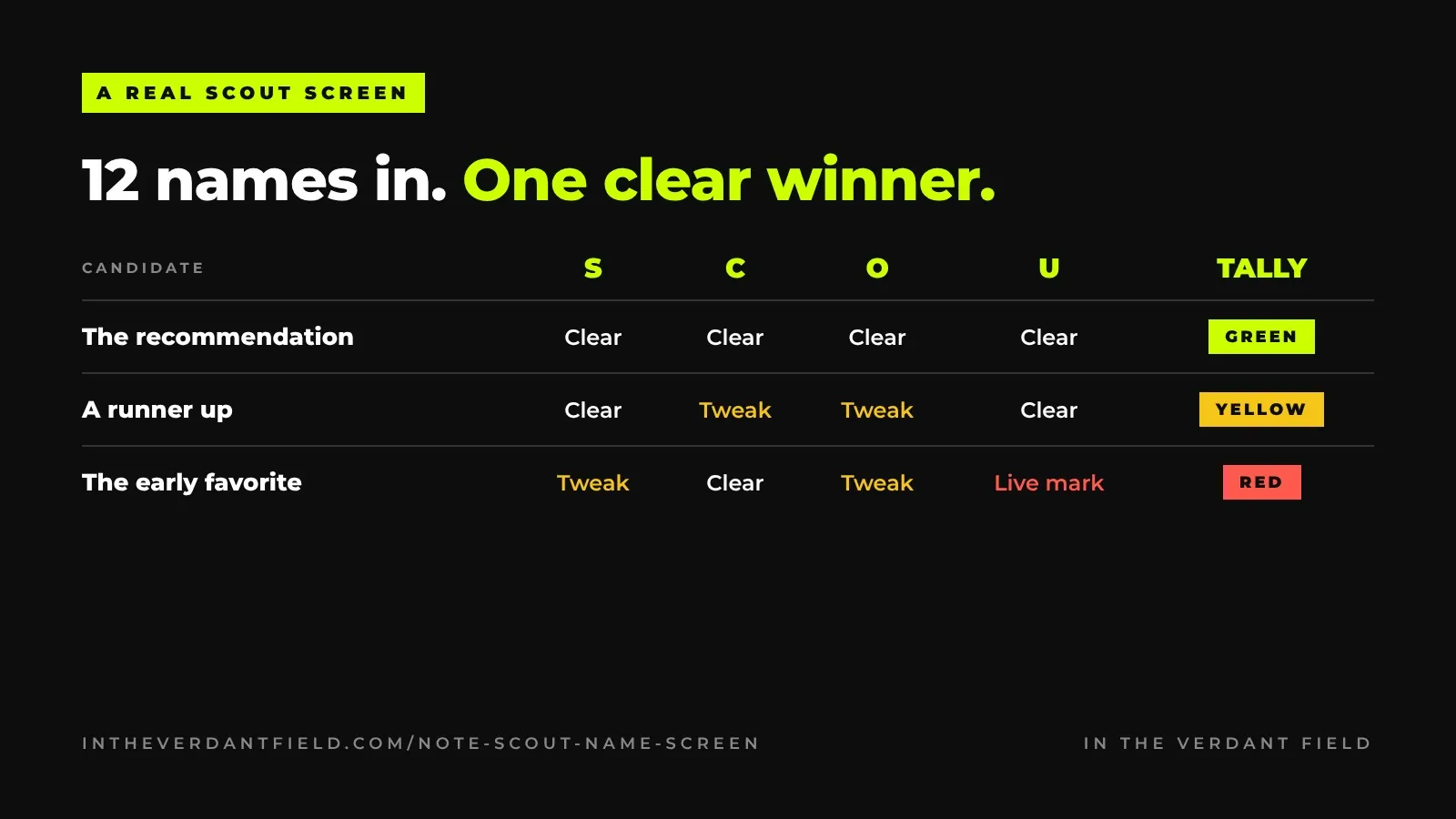
For a San Diego creative organization, I scored 12 name candidates. One came back green across the board and became the recommendation. A runner up landed in yellow, workable with tweaks to the domain and handles.
And one of the early favorites, the name people had already started saying out loud in meetings, was blocked by an active federal trademark. We found that out before anyone had spent a cent designing it. That's the whole point.
How to use SCOUT without breaking your heart
- Go long first. Twenty candidates is a good start. Most won't survive, and that's fine. If you start with three favorites, you'll fight for one that can't win.
- Screen before you share. The moment a name goes in a pitch deck, people get attached. Run the four checks first.
- Respect the cap. If one check scores 5 or less, don't let a lovely total talk you out of it.
- Spend legal money on finalists only. A trademark attorney's full clearance search is worth every cent on your two or three greens. Not on the whole whiteboard.
- File before you launch. Once you've chosen, file the application before you print, post or open the doors.
Want the full process around the screen, from the long list to filing? Read how to choose a brand name you can actually trademark. And if you'd like to see the screen laid out step by step, it lives on the naming page.
Three ways to run it
Start free. The 10-Minute Name Check covers five red flags you can test yourself in a couple of minutes each.
Run it yourself. The SCOUT Name Screen Workbook is the same screen I run for clients, as a 7-page printable PDF, for $49.
Have me run it. I'll screen up to 10 names and send you a scored report in 5 business days. And when you've picked your winner, I'll register the trademark for you.
The short version
Fall in love with your name after it passes the screen, not before. Search, .Com, Online handles, USPTO, then tally. It takes a fraction of what a logo costs, and it might save you the logo.
This is general guidance, not legal advice.